
This month’s GembaDocs update covers editable Word documents, an improved Advanced SOP view, easier feedback QR code rollout, expanded bulk editing, a new Training Items tab, the ability to duplicate a Skills Matrix, a better mobile view for Skills Matrix QR codes, a new Skills Coverage view, Kanban image search, CC and BCC on Kanban emails, and a cleaner login experience on GembaDocs.com.
Tom walks through all of it in the video below.
Editable Word Documents
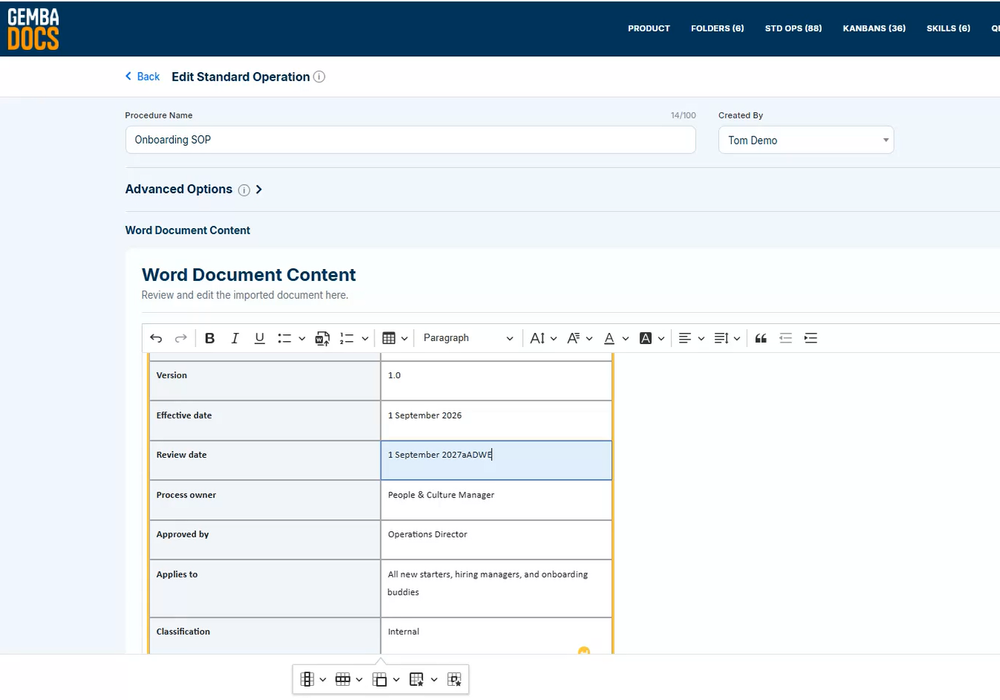
You can now upload complete Word documents directly into GembaDocs and keep editing them inside the system.
Before this change, Word files had to be converted to PDF, which locked you out of further edits. If you already have a library of policies and procedures in Word, you can bring every one of them into GembaDocs and keep working on them there.
Once uploaded, they work like any other GembaDocs document, with the same QR codes and the ability to add them to training matrices.
Improved Advanced SOP View
The Advanced SOP step-by-step view on web now shows Key Points and Reasons Why side by side instead of stacked on top of each other. You get more information on screen at once and spend less time scrolling through a procedure.
Feedback QR Codes
Rolling out Feedback QR codes across your SOPs now takes one click. Go into Advanced Settings, turn on Feedback, and the QR code gets added to every existing SOP at once. Operators scan the code to suggest improvements or flag anything unclear, so the people doing the work help you keep your SOPs accurate.
Bulk Editing
Bulk Edit now covers tags and sites, not just individual fields. If you manage a large number of SOPs, you can update tags and site assignments across many documents in one pass instead of opening each one.
Training Items
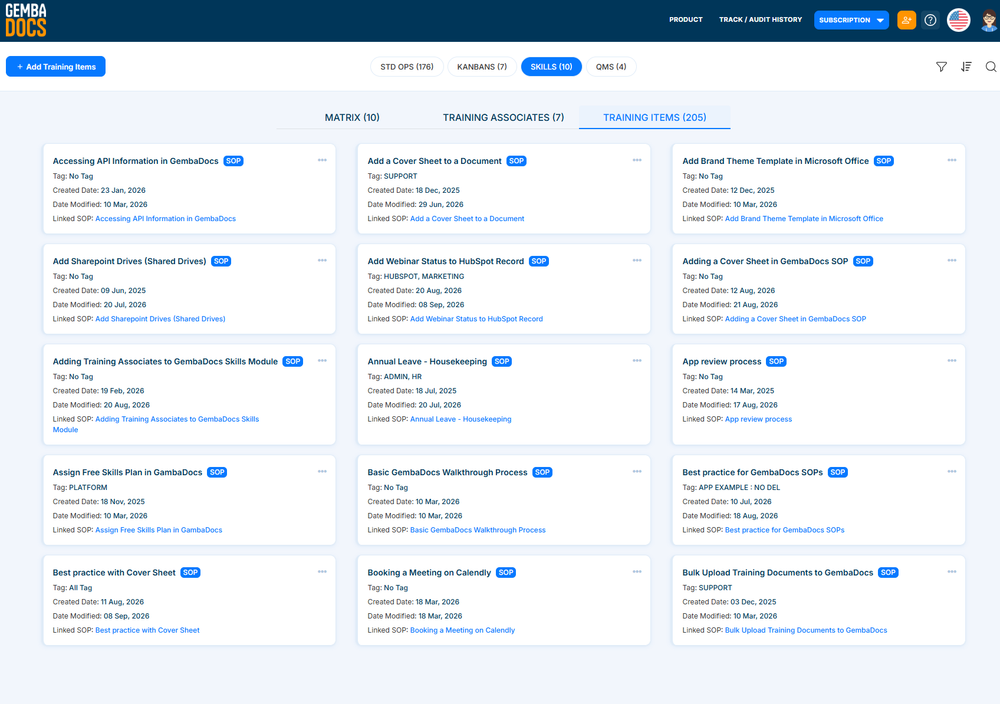
Skills now has its own Training Items tab, bringing your SOPs and other training items together in one place. You can convert a simple text training item into an SOP or an uploaded document without touching any of the training records already tied to it.
Improved Skills Matrix
- Duplicate: You can now duplicate a Skills Matrix and carry across every person and training item from the original.
- QR mobile view: The Skills Matrix QR code view is now optimized for phone screens. Scan the code on the shop floor and the matrix resizes to fit, so it’s easier to read on a mobile device.
- Coverage: You can now set the minimum number of people required on each critical task, along with the minimum skill level they need. GembaDocs then shows you, visually, where you have enough coverage and where you don’t. You can see at a glance which critical tasks don’t have enough people trained to the level you need, before it becomes a problem on the floor.
Kanban Updates
Kanban cards now support Image Search. Instead of finding an image online, saving it, and uploading it separately, you can search the web and add an image straight to your Kanban. Kanban email notifications now support CC and BCC, so you can send alerts to a wider circulation list without forwarding them manually.
A Cleaner Login Experience
We’ve cleaned up GembaDocs.com to give existing users a simpler login experience.
All of our brochure information now lives on GetGembaDocs.com, which keeps things clearer for both existing customers and people checking us out for the first time. Behind the scenes, we’ve also made security and performance improvements across the platform.