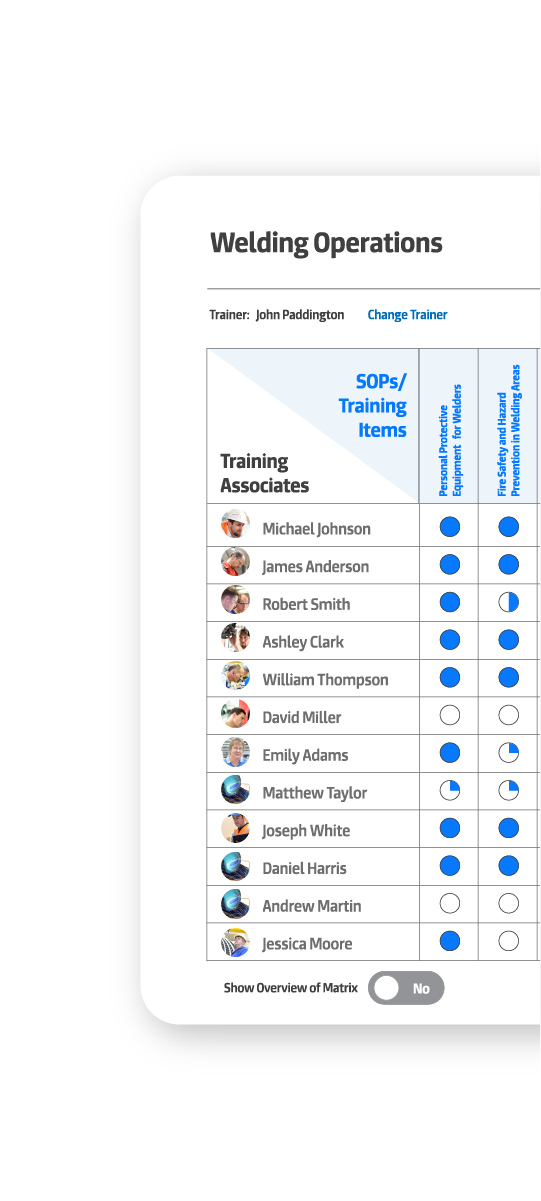

Who can run that machine right now?
GembaDocs Skills is a live digital skills matrix linked directly to your SOPs. See who’s trained, who isn’t, and what’s expiring – from the office or right on the shop floor. Track SOP-linked competency and external certifications in one place.
30 day trial.
No card required.
A skills matrix that lives where training actually happens
GembaDocs Skills is a bolt-on module built into the same platform as your processes. There’s no separate system to log into. Your training records and your operating procedures sit side by side.
Procedures that already exist in GembaDocs. Link them to the matrix and training records build automatically as operators complete and sign off on procedures.
Anything that happens outside GembaDocs. Forklift certification, first aid, abrasive wheel training, fire warden sign-off. Add it to the matrix as a named item, attach the certificate, and set an expiry date. When it's due for renewal, the matrix flags it in red and adds it to your training plan.
A QR code on the wall or workstation opens the live matrix on any phone.
No app login needed to view it. Training can be signed off on a tablet right there at the machine.
Skills Matrix: Training
A transformative skill training tool designed to enhance workforce development and operational efficiency.
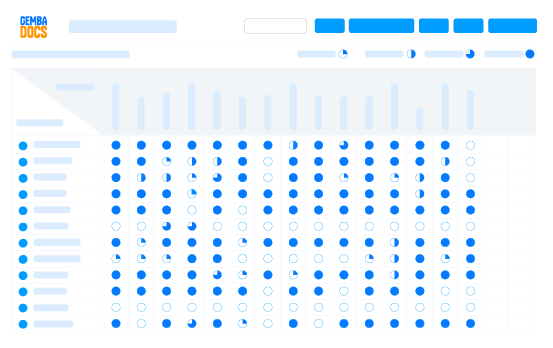
Competency and training tracking.
- Customizable competency levels - set your own labels (Unskilled, In Training, Competent, Expert) to match your existing system
- Display format options - show training status as circle quadrants, percentages, or numbers. Same data, three ways to visualize it
- Target coverage - set a target competency level per area and the matrix shows you the gap
- Planned training dates - log when training is scheduled. Upcoming training stays visible on the dashboard so it doesn't slip
- Training expiry dates - certifications that expire show as red in the matrix when due. Renewals are visible in the dashboard before they become a compliance issue
- Certificate attachment - attach external training certificates directly to a training record. Always there, always accessible
SOP integration.
- Link any GembaDocs SOP directly to a skills matrix item. Competency and procedure are connected - not stored in two different places
- When a procedure changes, the matrix shows which operators need to re-verify against the updated version
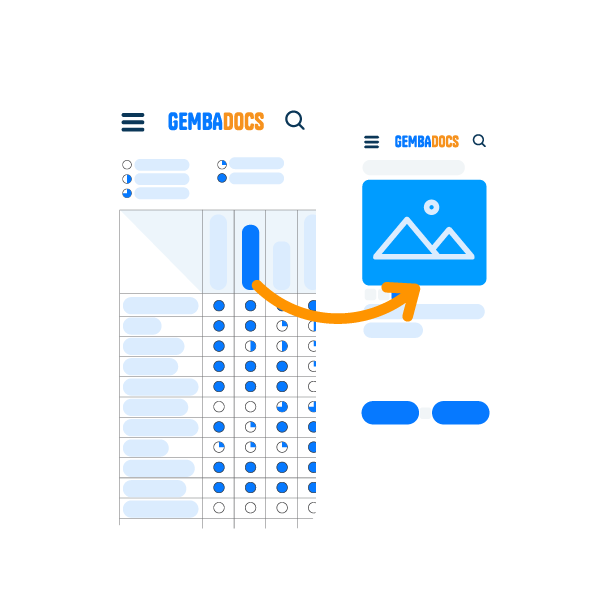
- SOP and training accessible from the same QR code on the shop floor

- Add operators with photos, clock numbers, and department tags - either one by one or via CSV upload for large teams
- Live signatures on a tablet or phone at the point of training - no paper, no running back to an office
- Archive departed operators rather than deleting them. Training records are kept. The live matrix stays clean
- Training associates - add people who aren't full GembaDocs users to the matrix for training record purposes only
Analytics and reporting.
- Training dashboard showing all matrices in one view - what's current, what's planned, what's expiring
- Full export to Excel for audits, reporting, or team reviews
- Mobile access on the shop floor via QR code - view any matrix without an app login

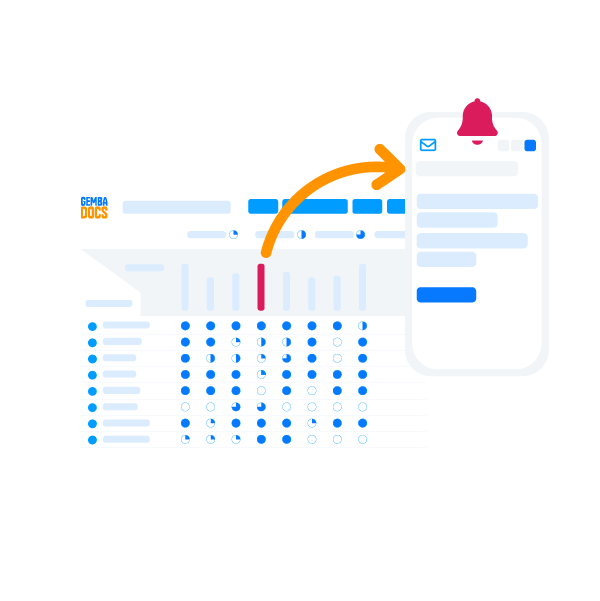
- Email notifications and reminders when training is due to be reviewed and expired
- Option to send automated weekly emails with training schedule, planned activities, upcoming expiries, and any backlog.

Skills Matrix: Courses
Build training once, send it to the right people, and get a verified competence record back, all inside GembaDocs.
Build courses and assessments
- Course builder - group SOPs and training items into one course, with sections for bigger programs
- Competence levels - set the level each person needs to reach, in your own terms
- AI-generated assessments - AI writes the questions from your SOP, and you can edit any of them
- Completion rules - require manager sign-off, a signature, or a photo before a record counts
Assign and
deliver training
- Assign in seconds - pick people one by one or assign a whole matrix at once, with a due date
- Shareable link - send training by email, text, or WhatsApp so people can complete it on their own device
- Printed training slips - a QR code and access code, no account needed
- Training kiosk - turn a shop floor tablet into a dedicated training station
Track progress
and keep the record
- Courses dashboard - see who's done, who's in progress, and what's outstanding
- Two-way records - see everything one person is trained on, or everyone trained on one SOP
- Audit-ready evidence - every assessment is kept with its training record
- Live matrix updates - completed training goes straight onto your skills matrix
From setup to signed off in the same shift

Build the matrix
- Choose a department or area.
- Add your operators – either one by one or upload a CSV if you’re adding a large team at once.
- Pull in the SOPs from your GembaDocs library, or add external training items by name.
- Set your competency levels and target coverage. The matrix is ready to use.
Record training as it happens
- Trainers sign off on each operator against each item – on a desktop, tablet, or phone.
- Both the trainer and the operator can sign on screen with a live signature.
- For external training, attach the certificate directly to the training record.
- Set an expiry date and the matrix handles the reminders.
View it on the floor
- Scan the QR code in the work area and the live matrix opens on any device.
- No app required to view or login.
- Operators can see their own status.
- Supervisors can see the whole team.
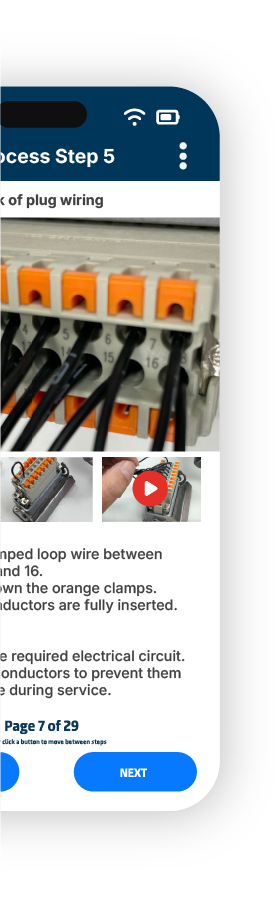
- From the same scan, an operator can open the linked SOP and follow the procedure.
Manage gaps and renewals
- The training dashboard shows you what’s current, what’s planned, and what’s expiring.
- Expired certifications turn red in the matrix.
- Planned training dates show as a visible backlog so nothing gets forgotten.
- Export everything to Excel for audits or reporting.
How SDC Trailers moved from binders of paper training records
SDC Trailers in Northern Ireland were already using GembaDocs for SOPs across their manufacturing operation. When the Skills module launched, they were first in.
Before GembaDocs
A printed Excel skills matrix that required constant manual updates, couldn’t travel to the shop floor, and gave supervisors no way to see gaps at a glance.
The admin burden of maintaining paper training records was significant.
After GembaDocs
Training records are now updated live, at the machine, with signatures on a tablet.
External certifications – forklift, abrasive wheel – carry expiry dates and show red when renewal is due.
Training became an easy function to create, maintain and monitor, vs a labour intensive and time consuming administrative task.

Add Skills to your GembaDocs Plan
Skills is a bolt-on module. It works alongside your existing SOPs – same platform, same login.
You can try GembaDocs Skills as part of the full platform – SOPs, Kanban, and Skills – free for 30 days. No credit card required.
Add Skills to your GembaDocs Plan
Skills is a bolt-on module. It works alongside your existing SOPs – same platform, same login.
You can try GembaDocs Skills as part of the full platform – SOPs, Kanban, and Skills – free for 30 days. No credit card required.